
Your people
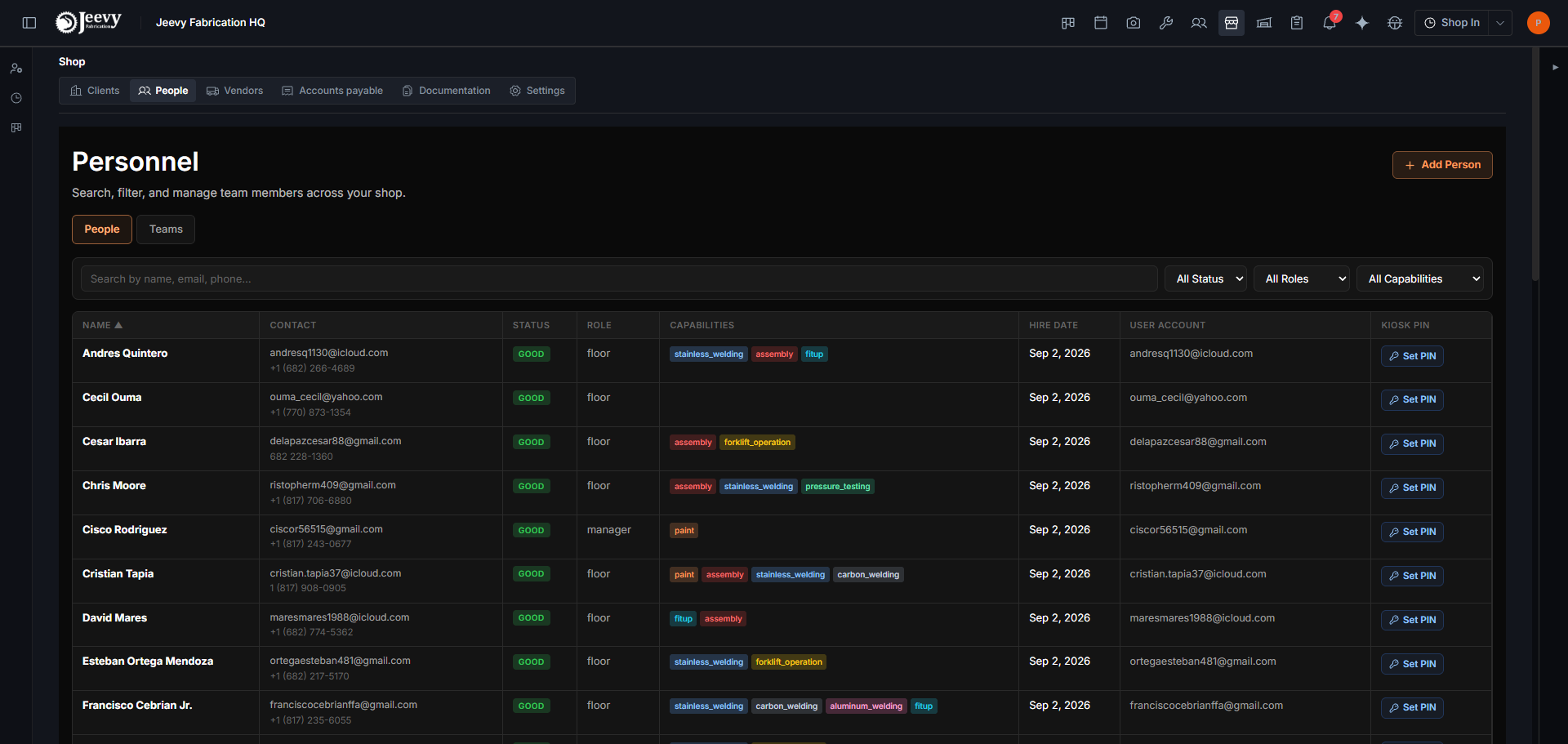
The roster, on the Personnel tab of Shop Overview. A role decides what someone can see; a personnel record is what lets them be assigned work and clock in.
Two different things get confused here constantly, and the confusion always shows up the same way: somebody can log in but cannot be given any work.
Where it is. Personnel is the first tab of Shop Overview. The older standalone Personnel screen is still there and still works, so both routes reach the same roster. Inside it there are two sub-tabs, People and Teams.
A login is not a personnel record
A login lets someone in. It is an account, an email address, a way through the front door.
A personnel record is what lets them be assigned work and clock in. It is the person as the shop knows them: a body with hours, a place on the roster.
Somebody can have one without the other. A manager who never touches a tool needs a login and no personnel record. A floor worker on a shared kiosk needs a personnel record whether or not they ever log in on their own.
The roster shows this directly: each row says either the linked login's email, or Not linked.
Adding people, and inviting them
Add person creates the personnel record: a name, an employee type, and the capabilities that person holds with a proficiency level against each. Email, phone and hire date are optional. A kiosk PIN is set from the roster, not on this form. Hire date is only used to show how long someone has been here. It does not change the schedule or what they can be assigned. Saving an email does not create a login. Invite to the Shop does, on Add person and while you edit the person's record. Shop role sits beside employee type on both forms. Their kiosk PIN keeps working. Additional details holds status, pay rate, language, Gusto ID, export authorization, address, emergency contact, and notes. Pay rate and export authorization stay in that section until you open it. You can fill those in later from the person's record too.
Roles decide what someone sees
A role is what governs access to screens and data. Change somebody's role and what they can see changes; it does not change what they can be assigned.
Kiosk PINs
The Kiosk PIN column is how a person gets onto a shared floor tablet. Set PIN takes a 6-digit number; once set, the column reads Active and offers reset and remove.
Why this matters to the schedule
Assignment is what the scheduler works with. A task with nobody on it is not a conflict, but it is not ready either: it shows as the not-ready badge in the planner.
Everyone who should be able to take work needs to exist here first.