
Inside a job
The job header: client, PO, stage and notes. Everything else about the job hangs off the sidebar beside it.
Opening a job lands you on Project details. A quote lands on the same cards, with the quote's own title, number, and bid in place of the contract. Four cards hold the facts: project information, client information, contract information, and the project description. Use Sections at the top right, beside the brief toggle, to show or hide any of them, including notes and the activity log. The choice stays on this device.
At the right of the tabs, a project shows what it has spent against its contract: the figures, then a bar split into materials, shop labor, and services with other costs. Hover the bar for each amount and what remains. A warning mark beside it means the forecast margin is under target; hover it for the forecast, the target, and how far the forecast runs past the budget. Next to it are the hours logged on the job and the last 7 days as a small trend line. On a narrow window these give way to the tabs, and the full figures are on Financials.
A job's money is visible to owners and project managers. That covers the Financials tab, the spend and hours beside the tabs, and the contract value on Contract information. Other roles see the job without those figures, and the AI brief on Project details is written without them. Jeevy can turn access on for another role in your shop.
On the mobile app, tapping a quote or project opens a job dashboard instead of a full-page description. Overview is that same description. File Manager, Purchasing, Tasking, and Quote Generation sit in a bottom tab bar on that dashboard and fill in as they ship.
The client card names the client in full (with its logo when there is one), puts the point of contact in its own contact card (name, phone, email, and the same person mark as the project owner), and holds the shipping address. Click the contact to open the contact book: names scroll on the left, and the profile on the right shows email, phone, team, work location, and notes. Add saves a new contact on the client, and Use this contact puts them on the job. The shipping row is the place name and one line of the address, the same shape as the contact above it. Click it to open the address book: saved places for this client are on the left, each with a name, and the map is on the right. Add new address starts a blank place. Pan, zoom, or click the map to move the pin. Save a place onto the client so the next job can pick it instead of searching again. Contract information is the same compact label-and-value card as the others: the value, the delivery deadline, the client PO number, and the PO file. The file name is the PO upload, and the revision, versions, and upload sit on the line under that name. The created date changes the same way as the delivery deadline. A different month assigns a new generated project number, and that asks you to confirm. The project number can be changed here, and that asks you to confirm first. Data classification is Commercial or Export controlled, in the same colour as the other values, and changing it asks you to confirm first.
In the description, Enter starts a new line and Shift+Enter saves. The rail on the right is the brief for the tab you are on: AI Brief on Project details, Financial Brief on Financials, and Progress Brief on Progress tracking.
On Financials, Completed Purchases is materials ordered plus expenses, and Completed Labor is hours already logged. Those hours are priced from Shop Rate: the capability on the task, or the shop base rate when the task has no capability. Add labor on the shop labor card records hours that were not clocked. You can name the person and the work stream or task, or leave both blank. The same button is on Tasking. Log time is on Tasking Overview and on a work stream. It is the Shop Time clock flow for this job only: pick workers, a task, the day, and start and end hours. From a stream the stream is already chosen, so you only pick the task. That writes a clock session.
The header above that stays with you: who the job is for, the PO behind it, what stage it is at, and the running note thread. Everything else about the job is a section in the sidebar.
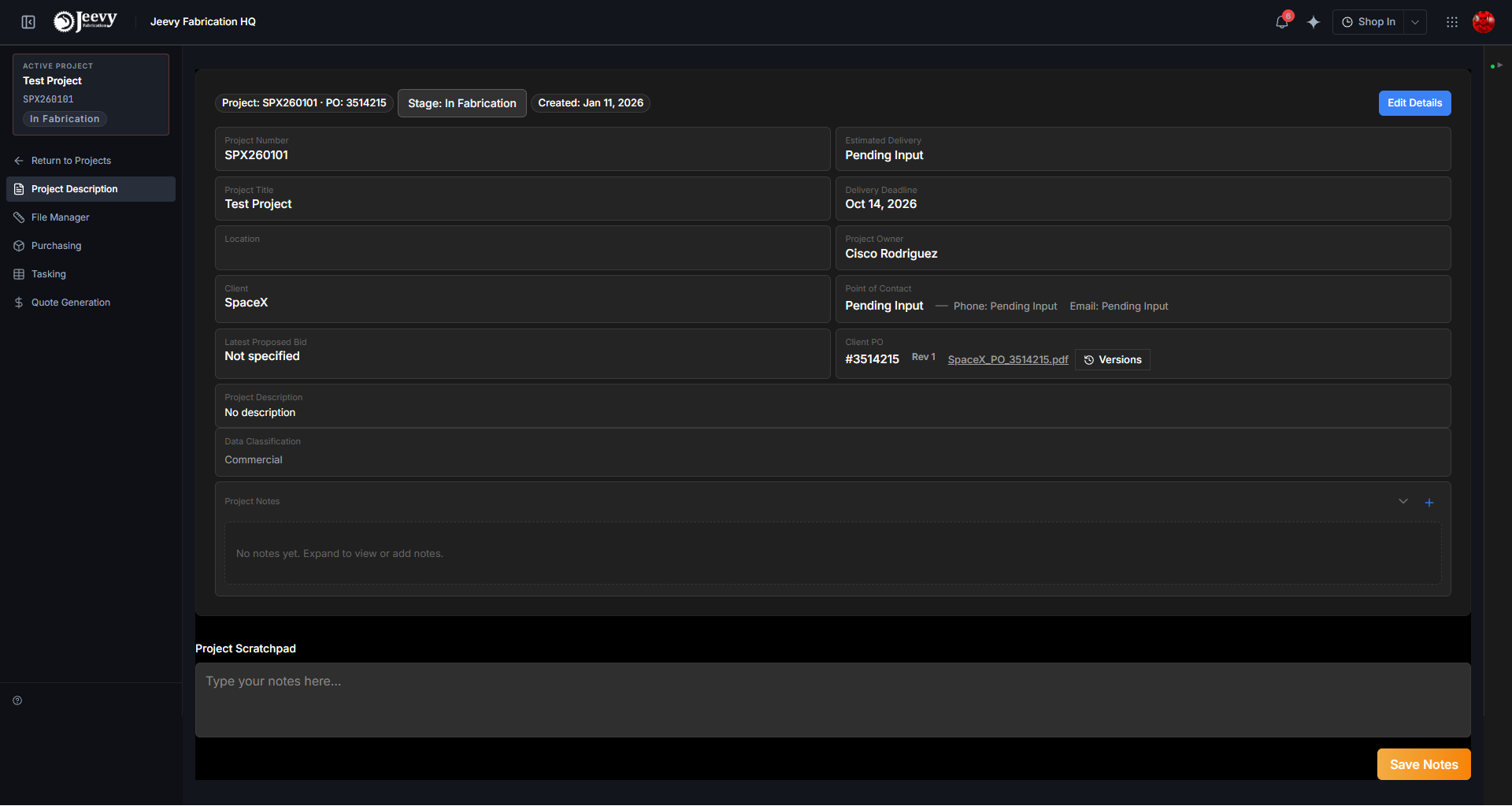
One place each
The sidebar is the whole job, split by what you are trying to do:
| Section | What is in it |
|---|---|
| File Manager | Drawings, specs, vendor documents |
| Purchasing | What the job is made of, and the orders for it |
| Tasking | When the work happens and who does it |
| Communications | Email attached to this job |
| Expenses | What has been spent against it |
| Quote generation | The bid document, on a quote |
Same job, one place each. Nothing lives in two sections. A quote's sidebar uses the same Overview and Workspace groups. Home is the first row of that sidebar on every screen, and it returns to the dashboard.
The header is the summary
Client, job number, PO number and stage are the facts everyone else's work keys off. The header stays in place when you open another section of the job. When the job has a client PO, that number sits beside the project number.
Notes are the job's thread
Add a Note in the header opens the thread. It is the same thread the dashboard writes into. Anything logged from a dashboard row appears here, and the other way round.
Type @ to mention somebody, and images can go with a note.