Accessibility and inclusive design
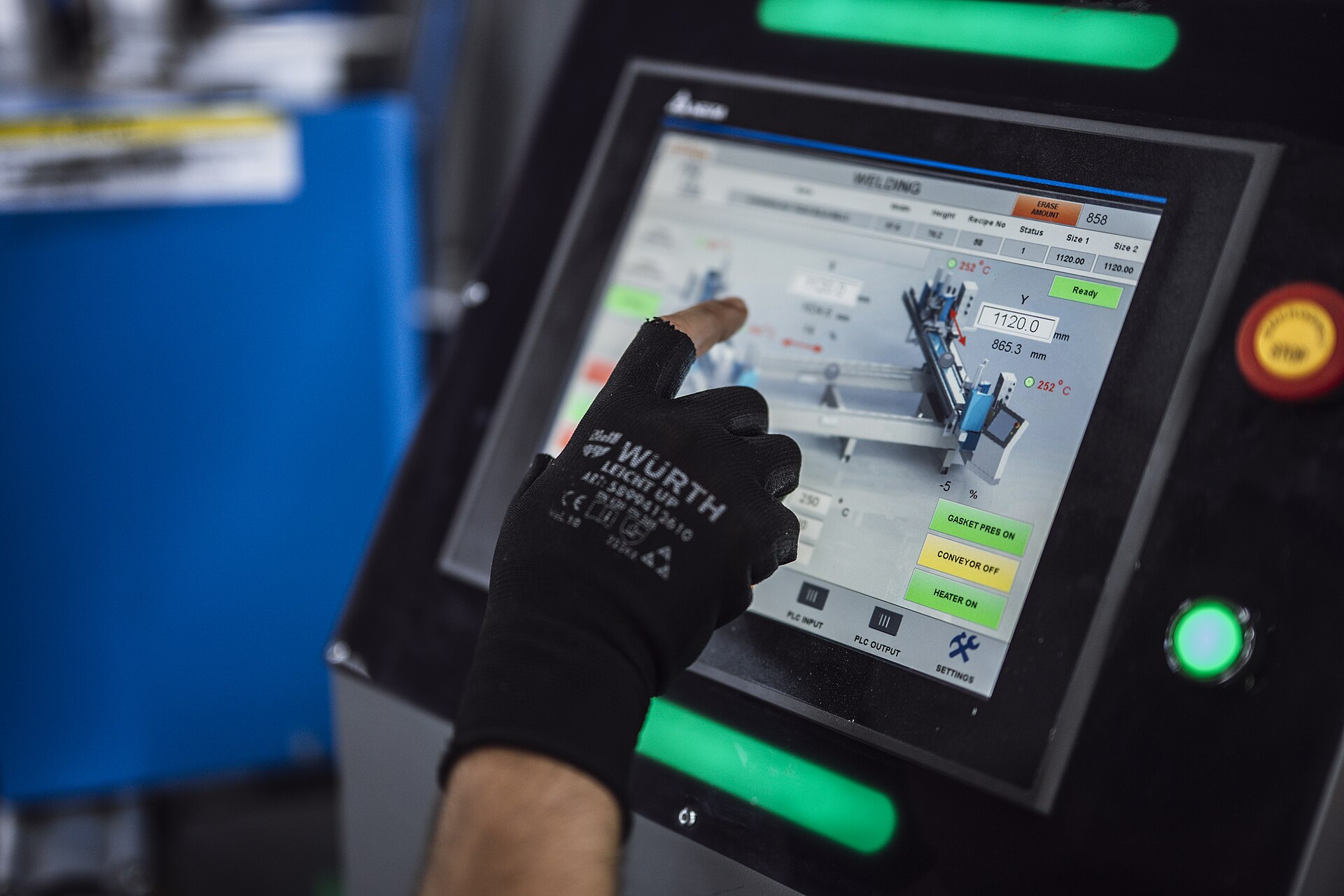
Built for a gloved hand on a glare-washed terminal, a screen reader in the office, and a keyboard at a planning desk. The bar is WCAG 2.1 AA, which is also what Section 508 requires.
The standard
WCAG 2.1 level AA is the bar for every screen. It covers Section 508 too: the 2018 refresh of 508 adopts WCAG 2.0 AA by reference, and replaced the old web rules at 36 CFR 1194.22 that older checklists still cite. Meeting 2.1 AA meets both.
Text contrast under glare (1.4.3)
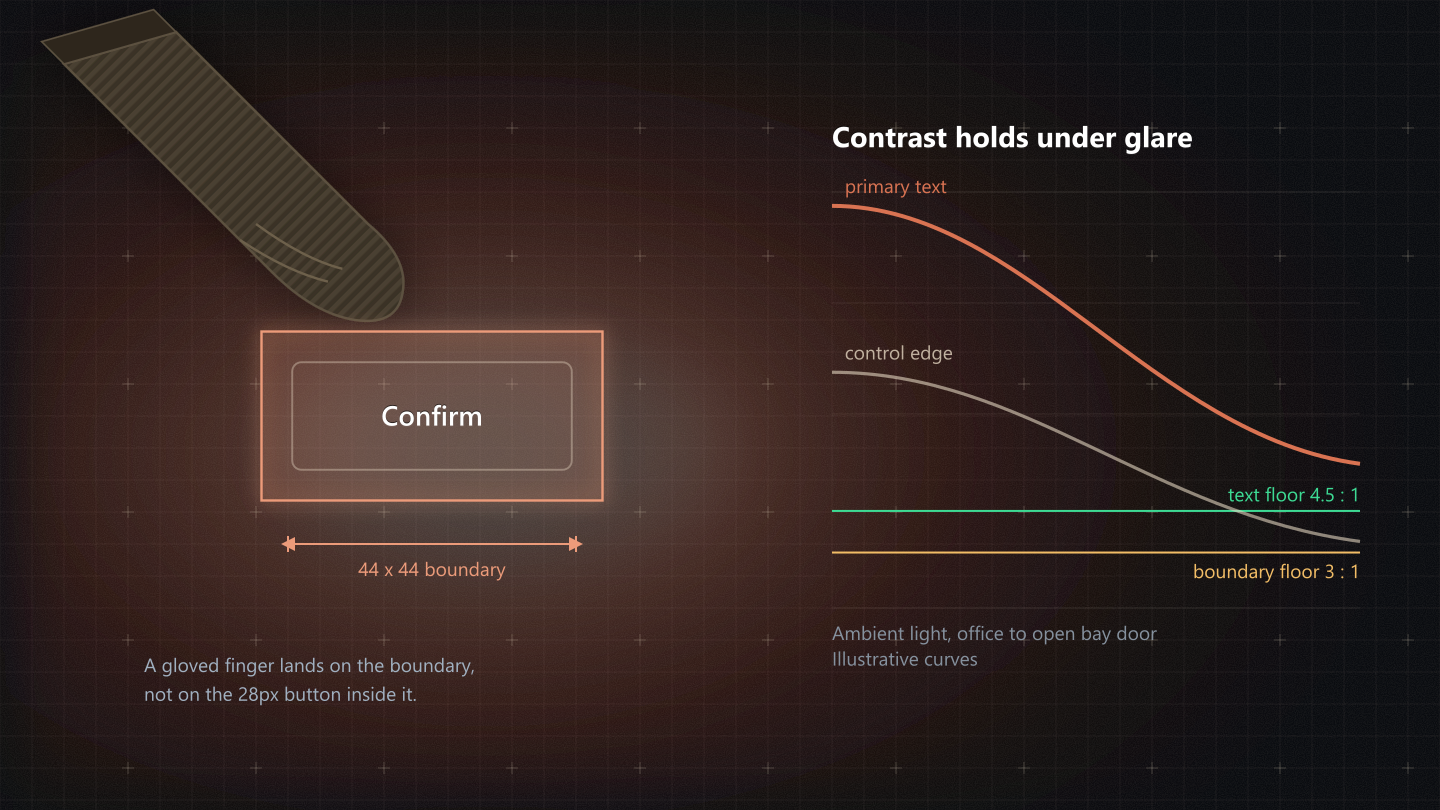
Body, labels and data are 12 or 13px, so 4.5 : 1 is the floor everywhere, not the 3 : 1 allowed for large text. Glare costs contrast before the eye gets any, so we never design to the floor on purpose. The worst case for each token, across the rungs it sits on:
| Token | Dark, worst rung | Light, worst rung |
|---|---|---|
--text-primary | 12.67 : 1 pass | 13.34 : 1 pass |
--text-secondary | 5.71 : 1 pass | 5.66 : 1 pass |
--text-muted | 4.53 : 1 pass | 4.56 : 1 pass |
10px is quarantined to tracked uppercase column heads (gate C10). At 10px a glyph is a few pixels tall, and no contrast ratio rescues a letter the eye cannot resolve at arm's length through a face shield.
Why -bright exists
A status chip is its hue at 16% over the row. The base hue on its own tint fails AA every time, because the tint is made of the same colour. The -bright tokens were minted to be the label colour on that tint, and they are the only ones allowed there.
| Family | Base on its tint | -bright on its tint |
|---|---|---|
| success | 5.38 : 1 pass | 7.99 : 1 pass |
| warning | 6.33 : 1 pass | 8.01 : 1 pass |
| error | 3.98 : 1 fail | 5.64 : 1 pass |
| info | 5.22 : 1 pass | 6.90 : 1 pass |
Non-text contrast (1.4.11)
The edge that tells you where a field is, and the bar that tells you it has focus, each need 3 : 1 against the ground. Measured honestly, two of ours do not reach it yet.
| Boundary | Dark | Light |
|---|---|---|
Field edge, --border | 1.38 : 1 fail | 1.28 : 1 fail |
Strong edge, --border-strong | 1.97 : 1 fail | 1.60 : 1 fail |
Focus bar, --primary | 2.66 : 1 fail | 6.01 : 1 pass |
Open: two boundaries are below 3 : 1
- Field edges. A field drawn only by
--borderis a hairline at about 1.3 : 1 in both modes, and even--border-strongstays under 3 : 1. WCAG passes a field when something else identifies it (a visible label directly above, a fill that differs from the ground), which our forms mostly have, but a bare field in a table cell has neither. - The dark-mode focus bar.
--primaryis 2.66 : 1 on the canvas; the brighter--primary-brightis 5.67 : 1 and would pass. Light mode already passes.
Both are token decisions for the design system owner, not page fixes, so they are recorded here rather than patched.
Screen readers and Section 508
Everything a sighted operator learns from the screen, a screen reader user has to hear.
- Every icon-only control has an
aria-labelin plain words:aria-label="Copy identifier", never the icon's name. An icon beside a visible label isaria-hidden. - Background AI work announces itself in a polite live region,
aria-live="polite", as words ("Ingesting 3 drawings"), never as a spinner alone, and never interrupting what is being read. - Errors that need action go in an
role="alert"region; routine confirmations (Saved, Sent) are polite status. - Structure is real: one h1 per page, headings in order, tables with column headers and a caption, trees and switches with their ARIA roles.
Keyboard operability (2.1.1)
Everything a pointer can do, a keyboard can do, and you can always see where you are.
- Fields show focus as a 2px bar along the bottom edge; buttons and rows as a ring. Focus is never removed without a replacement.
- No keyboard traps. A drawer is non-modal, so Tab moves on past it. A modal keeps focus inside while open, which is allowed, because Escape always closes it.
- Escape closes the top popover, menu, tooltip or drawer, one layer at a time.
- Row actions that appear on hover also appear on focus, so a keyboard user reaches the same actions.
Tabular numerics
Measurements, tolerances, quantities and money are compared down a column. With proportional figures a 1 is narrower than an 8, decimals stop lining up, and a value that changes jitters sideways. Data figures are the data face with tabular-nums; counts in chips are Inter with tabular-nums.
Glove touch
Every pressable thing under 44px carries an invisible 44 by 44 boundary. The visible height still stays on the 28, 32 or 36px tiers: the boundary stops a mis-tap, the height stops a control going unseen.
Visible height 28px. The ::after boundary adds 8px above and below, so a gloved finger lands on a 44px target while the row keeps its density.